-
Shop
- Advanced Technologies
- Arts, Crafts & Hobbies
- Bathroom
- Best Sellers
- Car Accessories
- Dating & Social Skills
- Digital Resources
- Beauty
- Electronics & Technology
- Emotional Intelligence
- Home Styling & Organization
- Mindfulness
- Nutrition & Healthy Eating
- Personal Style & Fashion
- Pet Lifestyle & Wellness
- Positive Thinking
- Productivity
- Self Confidence
- Sleep Improvement
- Stress Management & Relaxation
- TikTok Growth & Monetization Mastery
- Travel & Adventure
- Yoga & Mind-Body Practices
- Education & Learning
- Family & Parenting
- Fashion
- Alexander McQueen
- Bags
- Bags & Wallets
- Balenciaga
- Belts
- Blazers
- Bottega Veneta
- Brunello Cucinelli
- Burberry
- Chanel
- Chloé
- Dior
- Dolce & Gabbana
- Dresses
- Etro
- Fendi
- Gucci
- Hats & Hair Accessories
- Jacquemus
- Jewelry
- Jil Sander
- Jimmy Choo
- Kiton
- Luggage
- Miu Miu
- Off-White
- Outerwear
- Prada
- Rick Owens
- Saint Laurent
- Socks & Tights
- Sunglasses
- The Row
- Tom Ford
- Valentino
- Valentino Garavani
- Versace
- Vivienne Westwood
- Watches
- Fashion Accessories
- Furniture
- Gadgets
- Health & Beauty
- Health & Wellness
- Home & Garden
- Home Electronics
- Home Supplies
- Kids & Babies
- Kitchen
- Lighting
- Mindset
- Patio, Lawn & Garden
- Personal Growth
- Pet Care
- Pet Supplies
- Pets
- Shoes
- Sport & Outdoors
- Super Deals
- Travel
- Wealth
- Wealth Building
- Budgeting & Saving
- Cryptocurrency Investing
- Debt Management
- Entrepreneurship & Business Growth
- Family Finance & Budgeting
- Financial Independence
- Financial Mindset & Psychology
- Financial Planning
- Frugal Living & Expense Hacks
- Goal Setting
- High-Income Skills
- Investing Basics
- Leadership
- Motivation
- Networking & Mentorship
- Passive Income Strategies
- Real Estate Investing
- Side Hustles
- Stock Market Investing
- Winter Fashion
- YouTube Shorts Best-Sellers
Silicone Mouse Wrist Rest Pad for Smoother Desk Comfort
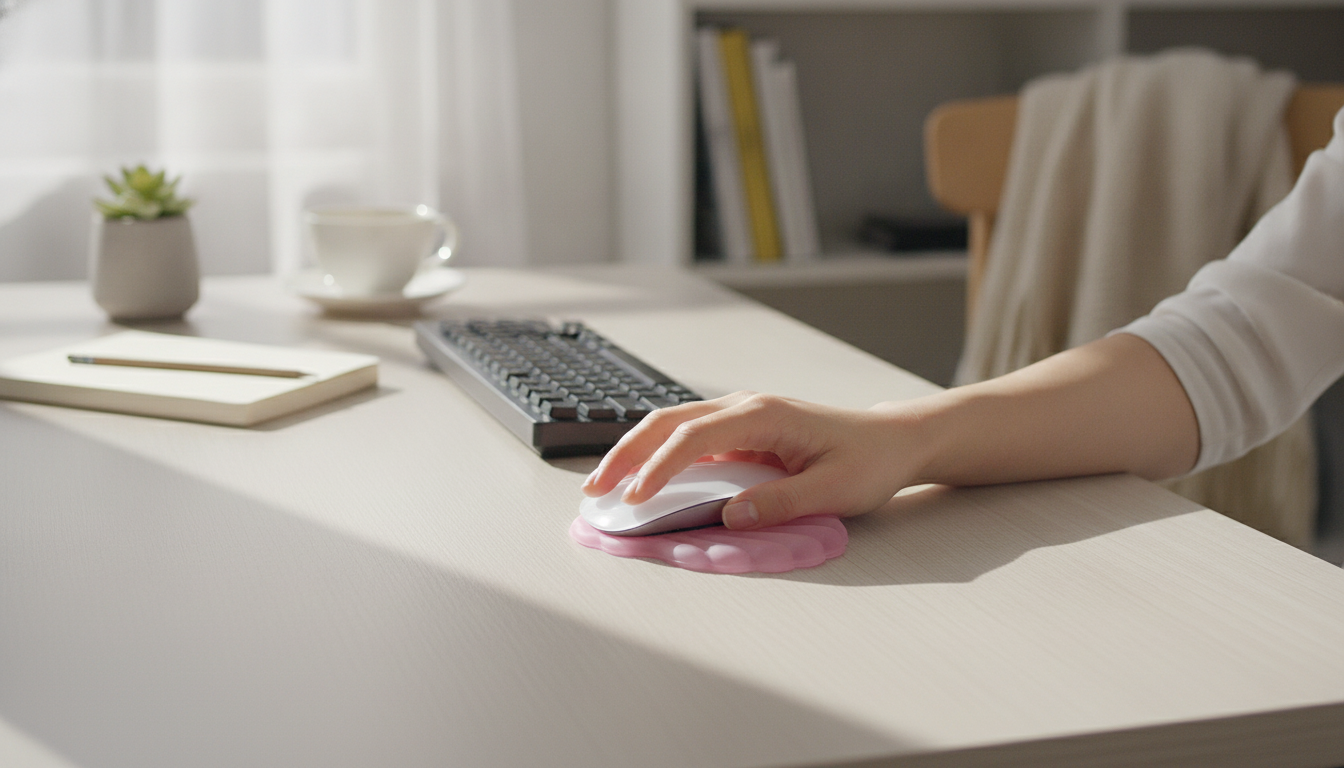
Ergonomic Silicone Mouse Wrist Rest Pad: Softer Support for Long Hours at the Desk
A wrist rest can make mouse use feel steadier and more comfortable, especially during long work or gaming sessions. An ergonomic silicone wrist rest pad is designed to provide a cushioned surface that helps reduce pressure points and encourages a more neutral wrist position while mousing.
What a mouse wrist rest is meant to do
A mouse wrist rest is a small tool with a simple goal: make the contact between your wrist and the desk feel less harsh while helping you keep a more comfortable working angle.
- Provides a cushioned contact point so the wrist is not pressed against a hard desk edge
- Helps keep the wrist from bending sharply up or down during mouse movements
- Can improve perceived comfort during long sessions by spreading pressure over a wider area
- Works best as a light support surface rather than something to heavily lean on
For broader workstation comfort basics—chair height, reach zones, and monitor placement—OSHA’s guidance on computer setups is a helpful reference: OSHA Computer Workstations eTool.
Why silicone cushioning can feel different
Not all wrist rests feel the same. Silicone-style cushioning is often chosen for a “soft but responsive” touch that doesn’t feel scratchy or overly rigid.
- Silicone-like materials typically offer a soft, slightly springy feel that can be comfortable for repeated contact
- Surface can be easy to wipe clean compared with fabric-topped rests
- A compact pad can fit small desks, laptop setups, and shared workspaces
- Comfort depends on firmness: too soft can feel “sink-in,” while too firm can feel like no cushion at all
If heat buildup or sweat is a concern, a wipe-clean surface can be a practical advantage—especially in warm rooms, shared offices, or gaming setups where hands stay on the mouse for hours.
Getting the height and placement right
Even a great wrist rest can feel “off” if it’s positioned too far forward or if it changes your wrist angle in the wrong direction. A quick setup check can make a noticeable difference.
- Place the pad so the wrist meets it naturally when the hand is on the mouse, without reaching forward
- Aim for a neutral wrist: not bent upward, not bent downward, and not angled sharply to the side
- Keep the mouse close to the body to reduce shoulder and wrist strain
- Use the wrist rest for gentle support between movements; avoid pressing down hard while moving the mouse
NIOSH also covers workstation ergonomics and positioning considerations that can complement a wrist rest: NIOSH – Ergonomic Guidelines for Computer Workstations.
Who typically benefits most
Wrist rests aren’t only for “desk job” setups. They can help wherever a hard surface meets repetitive mouse use.
- Work-from-home and office users who do frequent clicking, scrolling, and selection tasks
- Students using laptops on firm desks for extended periods
- Gamers and creators who spend long stretches at the mouse
- Anyone bothered by contact pressure at the wrist from a sharp desk edge or hard surface
If you find yourself lifting your wrist because the desk feels uncomfortable, a soft pad can reduce the urge to hover—which may help you relax your grip and keep movements smoother.
Quick feature checklist for a wrist rest pad
Small differences in thickness, grip, and surface feel can change how a wrist rest performs in real use. This checklist helps narrow down what matters most for daily comfort.
| Feature | Why it matters | What to check |
|---|---|---|
| Height/Thickness | Supports a more neutral wrist position | Wrist feels level with mouse, not bent up or down |
| Base grip | Keeps the pad from drifting | Stays put during quick mouse movements |
| Cushion firmness | Balances comfort and control | Comfortable without excessive sink-in |
| Surface feel | Reduces irritation over long sessions | Smooth contact, no rough seams |
| Cleaning | Helps hygiene and appearance | Wipes clean without trapping dust |
Care and cleaning tips
A wrist rest is a high-touch item, so quick upkeep helps it feel better and last longer—especially if you use hand lotion, eat at your desk, or share the workspace.
Pairing a wrist rest with better desk habits
If symptoms include numbness, tingling, or persistent pain, it’s worth reading a medically reviewed overview and discussing next steps with a professional. Cleveland Clinic offers a clear primer on related conditions: Cleveland Clinic – Carpal Tunnel Syndrome.
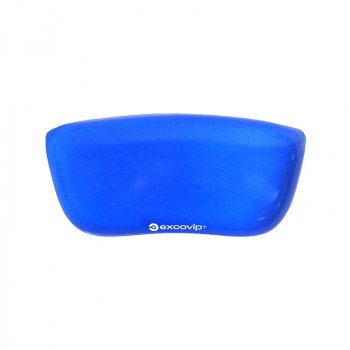
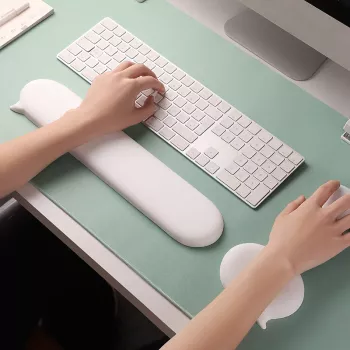
Product option: Ergonomic Silicone Mouse Wrist Rest Pad
For a simple way to soften desk contact during mouse use, the Ergonomic Silicone Mouse Wrist Rest Pad is an easy add-on that suits compact setups.
To support long sessions, pairing comfort tools with recovery habits can help. Consider adding a guided wind-down resource like How To Relax Your Body And Live With Less Stress or a simple routine tracker such as Checklist: Bright Mind Boost — Your Simple Daily Guide to Staying Positive for break reminders and reset moments between work blocks.
FAQ
Should the wrist rest touch the wrist while moving the mouse?
Light contact or intermittent support is usually best. Avoid planting and dragging the wrist heavily; aim to keep the wrist neutral and let movement come more from the forearm/arm than from bending the wrist.
Can a wrist rest help with wrist pain or carpal tunnel symptoms?
A wrist rest may improve comfort by reducing contact pressure and helping you maintain a more neutral position, but it is not a medical treatment. If symptoms persist or include numbness/tingling, adjust overall ergonomics and consider consulting a clinician.
How do you clean a silicone wrist rest pad?
Wipe it with mild soap and water using a soft cloth, then dry it fully before using it again. If it starts sliding, clean the underside and the desk surface to remove oils and dust that reduce grip.
Recommended for you

Was this article helpful?
Yes
No









Leave a comment